
A question I frequently get from Wi-Fi professionals is: Can you actually achieve throughput on both 5 GHz and 6 GHz simultaneously when testing Wi-Fi 7 MLO? After running real-world tests using AirWire and Ekahau Sidekick 2, the answer is yes, but only under specific conditions.
What Is Wi-Fi 7 MLO?
Wi-Fi 7 introduces Multi-Link Operation (MLO), allowing devices to transmit and receive data across multiple frequency bands at the same time, including 5 GHz and 6 GHz. This enables higher throughput, lower latency, and improved reliability, but performance depends on implementation details.
The Critical Factor: Enhanced Power Mode
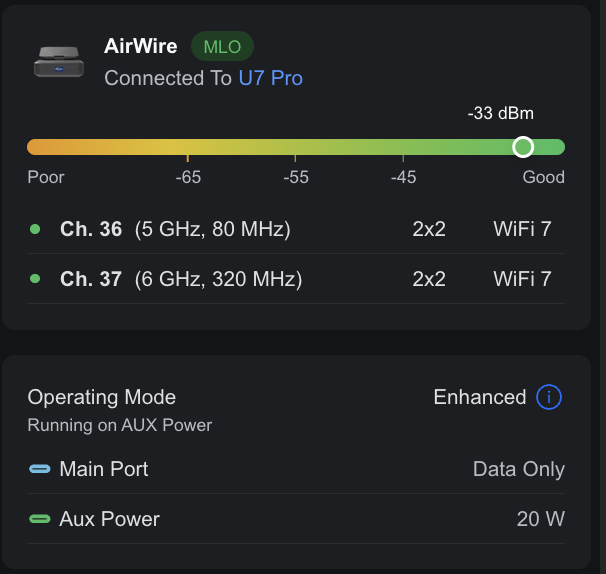
During testing, one key requirement stood out: Enhanced Power mode must be enabled. For AirWire, this requires powering the device via AUX (wall power) or using a high-capacity external battery.
Why Power Matters
Without sufficient power, MLO may revert to single-link operation. This prevents simultaneous throughput and leads to misleading test results.
Real-World Validation
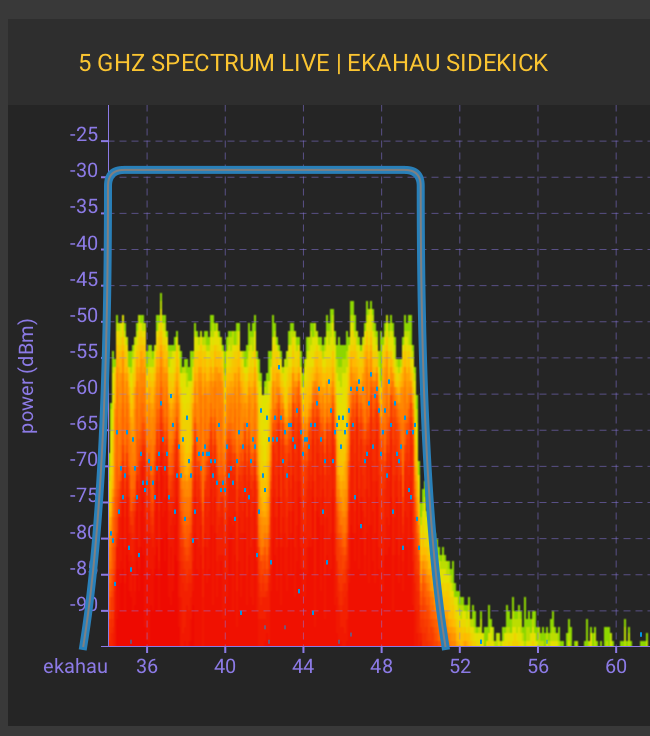
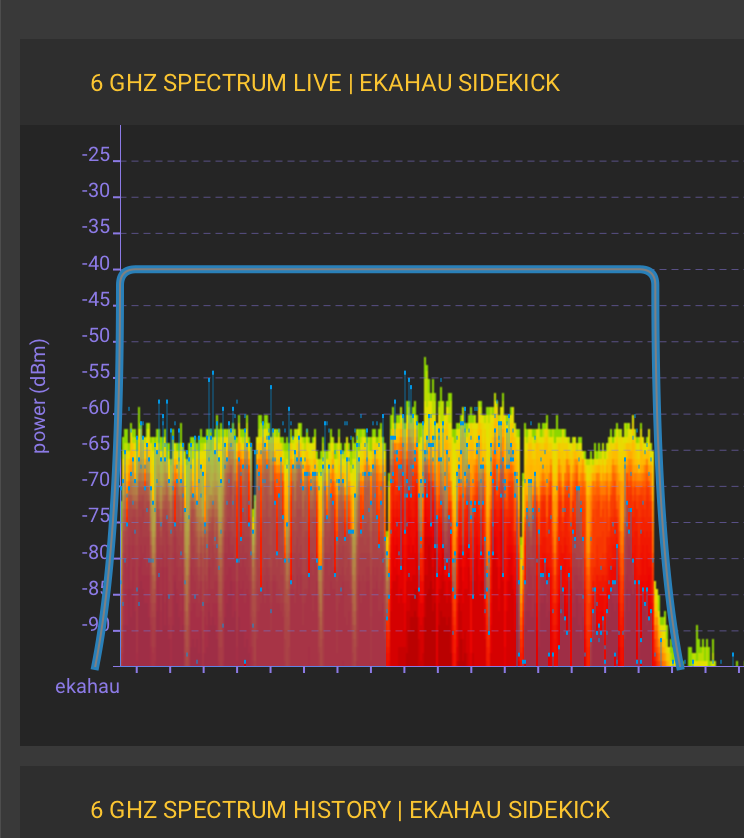
Using AirWire and Ekahau Sidekick 2, testing confirmed active transmission on both 5 GHz and 6 GHz, with stable spectrum utilization and confirmed MLMR-STR behavior (Simultaneous Transmit and Receive).
Key Takeaways
Wi-Fi 7 MLO can deliver simultaneous dual-band throughput, but proper power configuration is required. Power directly impacts performance, and testing must reflect real-world conditions.
Conclusion
Wi-Fi 7 MLO is a real and powerful feature, but its effectiveness depends on proper implementation. Without sufficient power, true MLO performance cannot be validated.
Call to Action
If you are working on Wi-Fi 7 deployments or testing MLO, ensure your setup reflects real-world conditions, especially power requirements.